

Defining the Recommendation Rule
This page describes how to define the recommendation rule of a scenario analysis template.
How the Recommendation Rule Is Used
Before this phase starts, the scenario analysis module has computed the impacts (for example, the cost and time) for each valid possibility. In the recommendation phase, the system examines each pair of possibilities. For the pair of possibilities, the system calls the recommendation rule to determine which is better.
After examining all the pairs, the system recommends the best possibility that it found.
Notice that the system performs the iteration over the pairs of possibilities. Your recommendation rule simply examines two possibilities and indicates which is better.
Template Syntax
The following template fragment shows how to specify the recommendation process:
"recommendation": "MyPackage.RecommendationOutOfStockRule"
Formally:
-
The recommendation property is a top-level property of the template. The value of this property is the logical name of the business rule to use in order to determine the recommendation.
Defining the Rule
To define the recommendation rule, create a business rule as follows:
-
The type should be a General Business Rule.
-
The primary context superclass must be SC.Core.BP.Message.ComparatorContext.
The ComparatorContext class contains the following properties for the rule to use:
-
optionA is an object representing the first possibility in the pair.
-
optionB is an object representing the second possibility in the pair.
These objects include the impact properties that you will compare.
-
samRunContext is the SAMRunContext object.
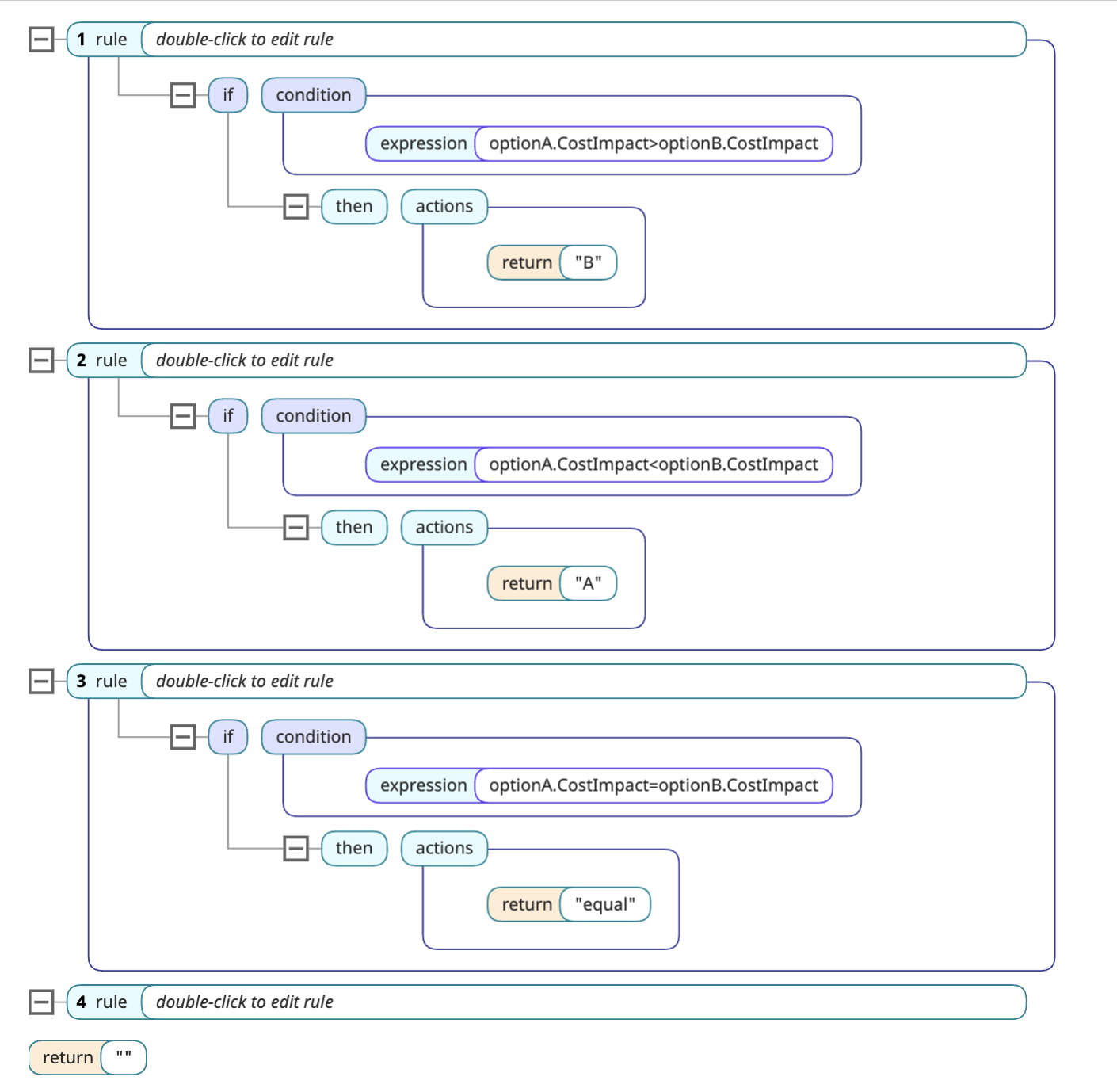
The rule should return one of the following values:
-
"A" if optionA is better.
-
"B" if optionB is better.
-
"equal" if the options are the same.
The following shows an example:
Checklist
-
Create the business rule.
-
Update the template as shown above.
